New Moon DVDRip XviD-NeDiVx
INFO : http://www.imdb.com/title/tt1259571/
Size: 700MB
PLOT:
After Bella recovers from the vampire attack that almost claimed her life, she looks to celebrate her birthday with Edward and his family. However, a minor accident during the festivities results in Bella’s blood being shed, a sight that proves too intense for the Cullens, who decide to leave the town of Forks, Washington for Bella and Edward’s sake. Initially heartbroken, Bella finds a form of comfort in reckless living, as well as an even-closer friendship with Jacob Black. Danger in different forms awaits.
Labels:
Movies

Info :
Microsoft Office Project 2007 gives you robust project-management tools with the right blend of usability, power and flexibility, so you can manage projects more efficiently and effectively. Microsoft Office Project Professional 2007 includes all the capabilities in Office Project Standard 2007.
Part1
Part2
Password :
carbon-14
Labels:
Software
1. Execute the below T-SQL query to verify the current SQL Server 2008 Service Pack Information.
SELECT
SERVERPROPERTY('Edition') AS 'Edition',
SERVERPROPERTY('ProductVersion') AS 'ProductVersion',
SERVERPROPERTY('ProductLevel') AS 'ProductLevel',
SERVERPROPERTY('ResourceLastUpdateDateTime') AS 'ResourceLastUpdateDateTime',
SERVERPROPERTY('ResourceVersion') AS 'ResourceVersion'
GO
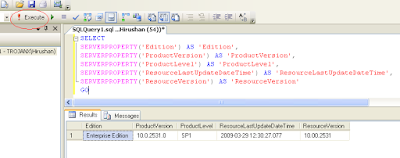
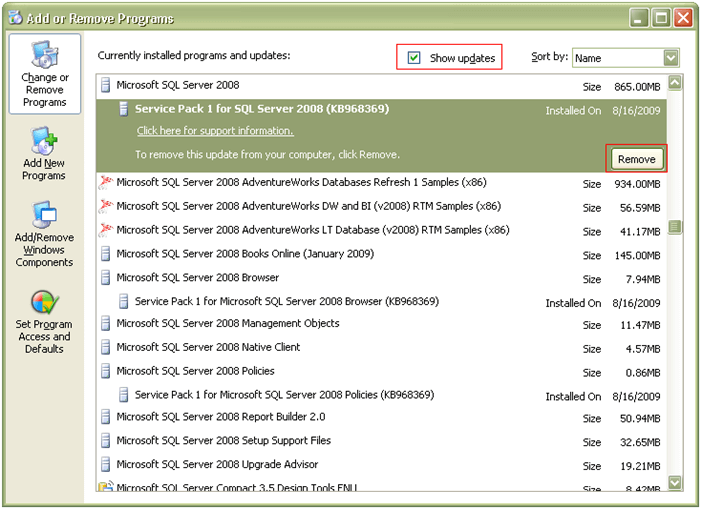
2. Using Add or Remove Programs, Database Administrators can Uninstall SQL Server 2008 Service Pack 1 (SP1). In Add or Remove Program select the Show Updates check box and then choose Service Pack 1 for SQL Server 2008 which comes under Microsoft SQL Server 2008 and click the Remove button to begin the un-installation process.

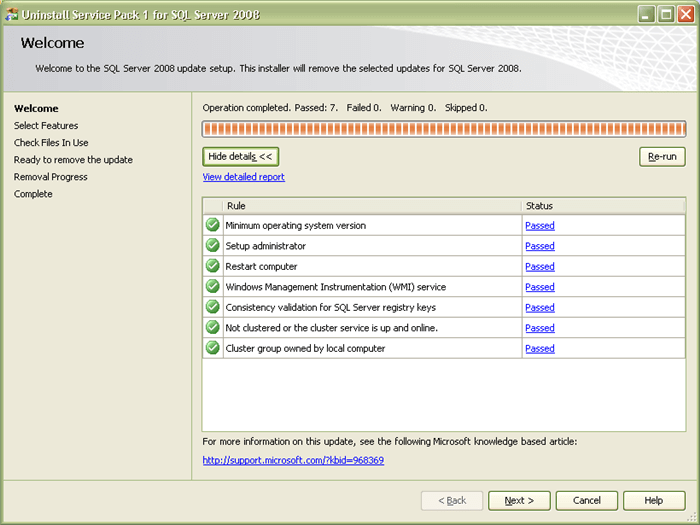
3. This will open up the Uninstall Service Pack 1 for SQL Server 2008 screen as shown in the snippet below. Once all the prerequisite checks are successful, click Next to continue with the un-installation process.

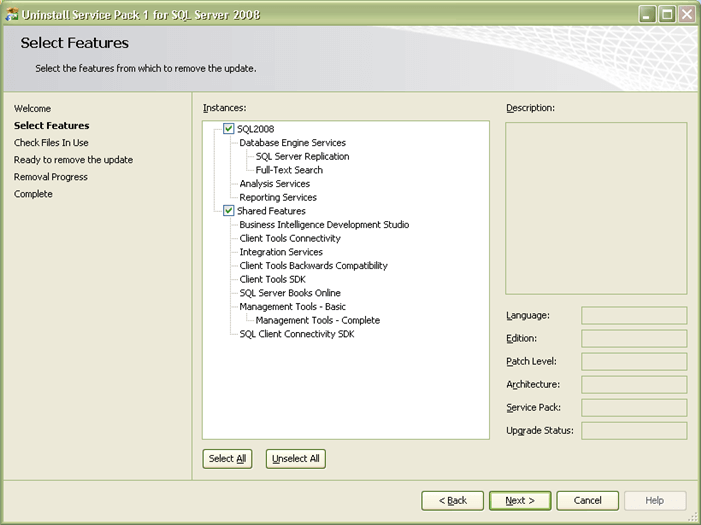
4. In Select Features screen you can choose the feature which you want to remove the update. Click Next to continue with the un-installation process.

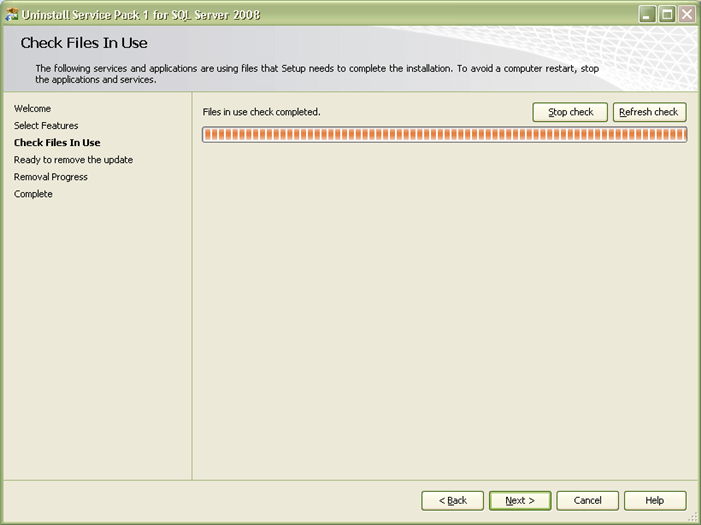
5. In Check Files in Use screen, the un-installation wizard actually checks for services and applications which are currently using files that setup needs in order to complete the un-installation of SQL Server 2008 Service Pack 1. Click Next to continue with the un-installation process.

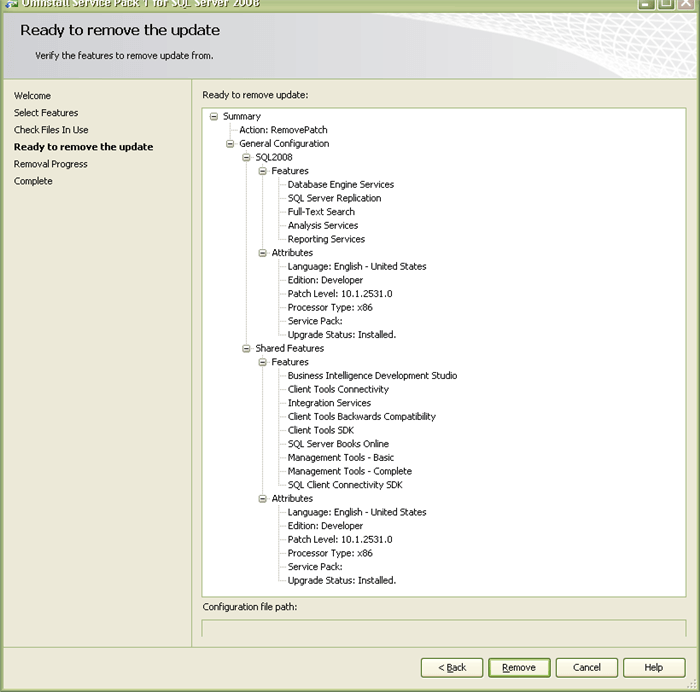
6. In Ready to remove the update screen you can verify the features which you have selected so far to be updated. Click Remove to continue with the un-installation process.

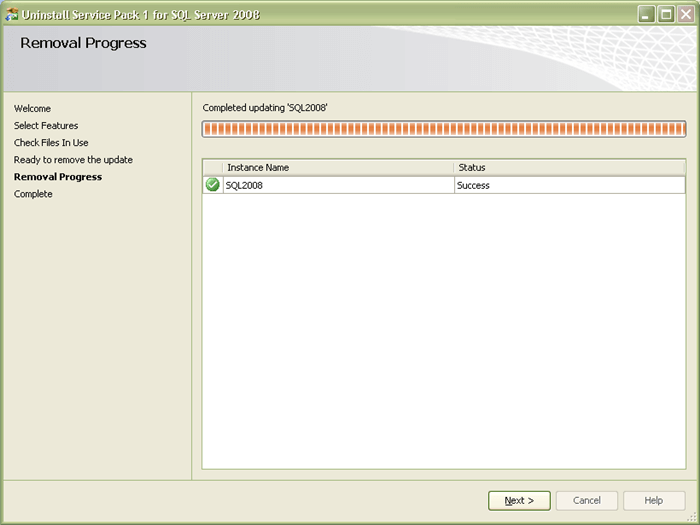
7. In Removal Progress screen you will be able to see Success messages as soon as the un-installation of SQL Server 2008 Service Pack 1 (SP1) has successfully completed. Click Next to complete the un-installation process.

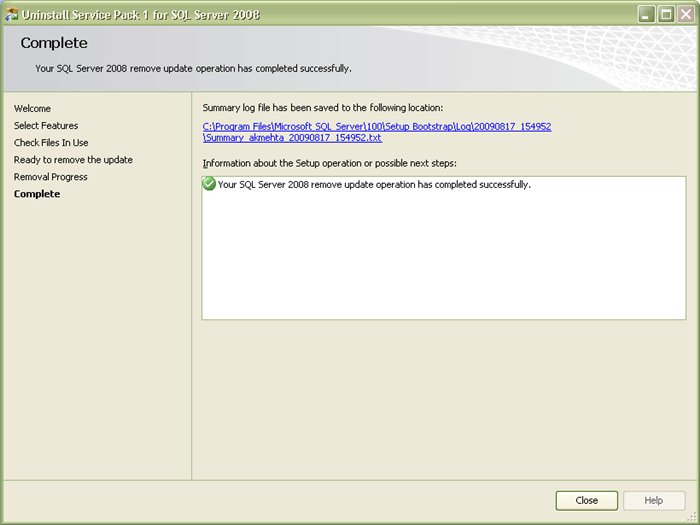
8. In Complete screen you will be able to see the message Your SQL Server 2008 remove update operation has completed successfully. You can also verify the un-installation process activities by going through the summary log. Click Close to end the un-installation process.

9. You can verify the SQL Server 2008 product version by executing the below mentioned query in SQL Server Management Studio (SSMS)
SELECT
SERVERPROPERTY('Edition') AS 'Edition',
SERVERPROPERTY('ProductVersion') AS 'ProductVersion',
SERVERPROPERTY('ProductLevel') AS 'ProductLevel',
SERVERPROPERTY('ResourceLastUpdateDateTime') AS 'ResourceLastUpdateDateTime',
SERVERPROPERTY('ResourceVersion') AS 'ResourceVersion'
GO
Labels:
Sql Server
Microsoft SQL Server 2008 Enterprise
JD8Y6-HQG69-P9H84-XDTPG-34MBB
Microsoft SQL Server 2008 Developer
PTTFM-X467G-P7RH2-3Q6CG-4DMYB
Microsoft SQL Server 2008 Standard
FXHQY-JQF42-68VVV-PYVVR-RY3BB
Microsoft SQL Server 2008 Web
T4CTV-PVXVP-JH7GV-FB8DV-YMH3Y
Microsoft SQL Server 2008 Workgroup
QGRPG-DPHXX-Q69PJ-BBG4T-CMBYB
Microsoft SQL Server 2012
748RB-X4T6B-MRM7V-RTVFF-CHC8H
Labels:
Sql Server
I had to reinstall Visual Studio 2008 for some obscure reasons and if you use the Visual Studio uninstall tool it is a painless process. You can download the tool from here. It will however NOT uninstall components that are shared with Visual Studio 2005.

Labels:
Visual Studio

Chrome OS is a brand new free operating system built around the revolutionary Google Chrome browser.
The project aim is to provide a lightweight Linux distribution for the best web browsing experience.
Featured software in Chrome OS:
GNOME 2.24 desktop environment
Google Chrome 4.0.237 web browser
Google Picasa 2.7 photo manager
OpenOffice.org 3.0 office suite
GIMP 2.6 image editor
Flash Player 10.0 plugin
and much more!
System requirements of Chrome OS:
Processor: Intel Pentium, Xeon or newer; AMD Duron, Athlon, Sempron, Opteron or newer
RAM: min. 256 MB
Hard disk: min. 1 GB
Graphics card: supports most modern graphics cards.
Part 1
Part 2
Part 3
Labels:
Software

Download Now 700MB
IMDB Rating : 7.6/10
Labels:
Movies